
A private, connected archive for your Mac
Your recordings and notes.
Connected, on your Mac.
Bring recordings, handwritten pages and your own writing into one searchable archive. Find a passage, check its source, and build a review or draft with links to the notes behind it. Local by default, with optional cloud processing.
Keep the devices you like, or start with files and your Mac's recorder. See how it works →
New: Drawing Tablet and audio-linked reMarkable notebooks over USB →
Download free trial Buy SageArchive
One-time license, with every update released in the following year. No subscription.
See the current price and any launch offer at checkout. Regular price: $49.
Try everything free for 14 days, no card needed. If you don't buy, your notes stay readable, searchable and exportable. See the user guide and the terms of sale.
macOS 26 or later on Apple silicon
New in 1.10 · reMarkable over USB
Your pen, two ways.
Draw in your Mac apps
Choose Drawing Tablet in the sidebar and use your reMarkable pen in compatible Mac drawing apps. Map it to a display, adjust the working area and pressure, then Start. Drawing Tablet records no audio. Stop restores normal writing on the tablet.
Keep handwriting with the conversation
Open Record, select a reMarkable notebook and capture audio on your Mac while you write across its pages. Play back the saved session with Handwriting, Transcript and Pages, including approximate pen timing and retrieved final pages.
USB only for these modes. Drawing was observed with reMarkable 2 and Krita; compatibility varies. While recording, keep the selected notebook open and Stop before changing notebooks. Page association is inferred; hour-long sessions have not been validated. Read setup and current limits.
Who it's for
For work that starts with notes.
SageArchive is for people who return to what they capture: to write, review, explain a decision or recover a detail. Bring selected material from different sources together without changing how you take notes.
Writers and editors
Build a manuscript review from several notes and interviews. Keep your comments beside linked sources and timed quotations.
Researchers and interviewers
Search across spoken and handwritten material, then return to the recording or page to check the passage you plan to use.
Consultants and field professionals
Bring meeting recordings and site notes into one project. Find the decision, date or technical identifier when you need it again.
What it does
Find it. Check it. Build on it.
Search across the things you captured
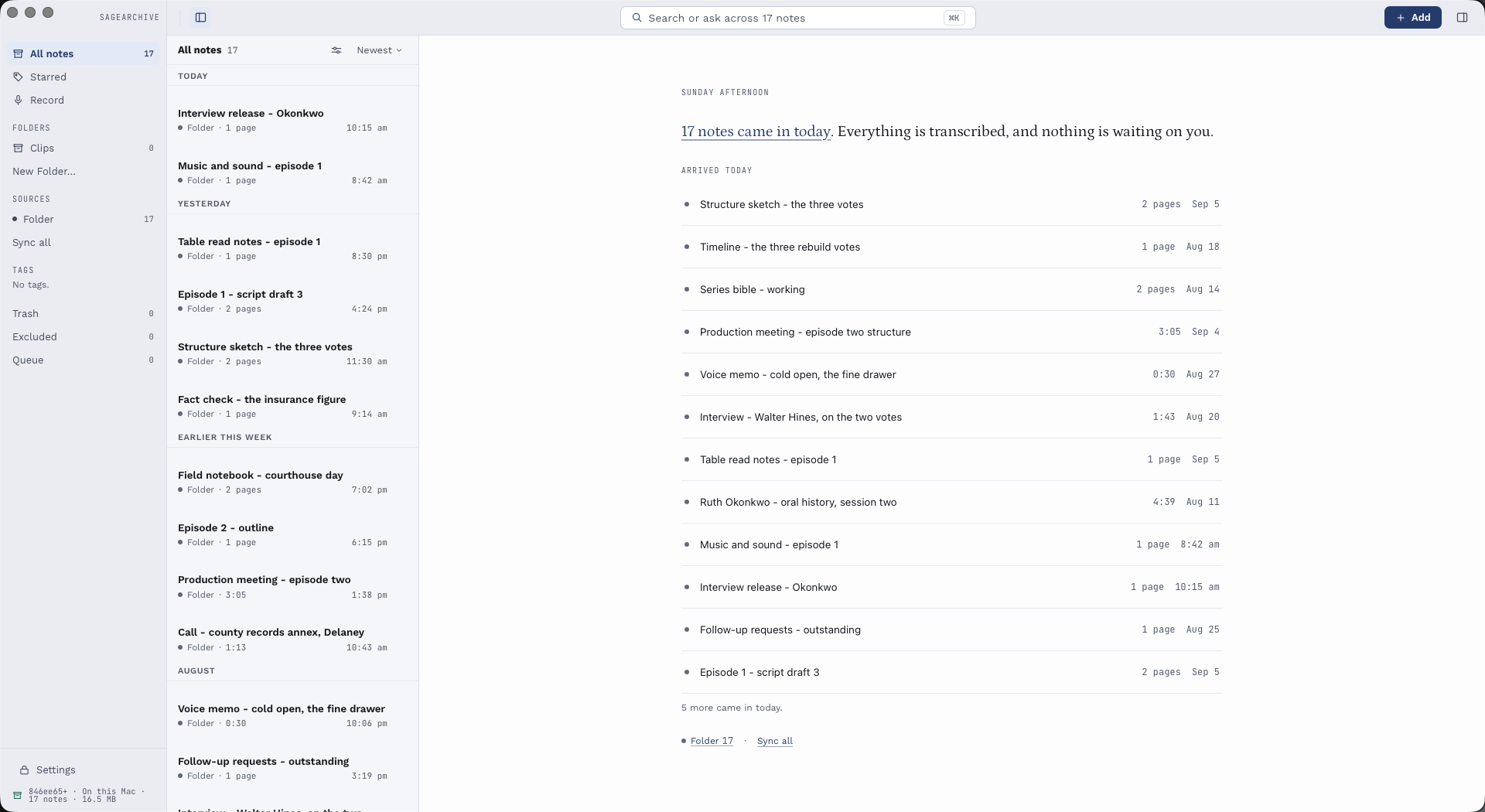
Find words, near matches or related ideas across recordings, recognized handwriting and your writing. Meaning search uses a local model; text search remains available without it. Filter the library to narrow what you are looking through.
Check the source behind an answer
Ask a question about your notes and follow its citations back to retrieved passages. Where timing or page coordinates are available, open the supporting audio or page. Generated answers can be wrong; the original material stays within reach. You can also let Claude on this Mac search the sources you choose to share. How sharing works.
Connect several notes in one place
Write a review that links to multiple notes. Add quotations from different timed transcripts, with your own comments between them. Linked from shows incoming note links; Referenced by shows the notes quoting a timed source.
Write and organize your own work
Create rich-text notes with autosave, headings, lists and links. File material in folders, add tags and star what matters. Request meeting minutes or an action-item summary, or propose a change to your writing, then review the result.
Capture the next thought
Open Quick Add to type a thought, drop a file or paste a podcast link. Record your microphone, Mac audio or both with the required permissions. Short recordings can become Clips; an optional global shortcut brings capture within reach from another app.
Listen, export, share and keep a copy
Turn note text into saved narration. Export Markdown, plain text or JSON, and SRT/VTT when transcript timings exist. Send a note to your reMarkable to mark it up with the pen. Print saved summaries and back up the complete archive with its original media. See the available formats.
From capture to your own writing
One review. Many references. A way back to each source.
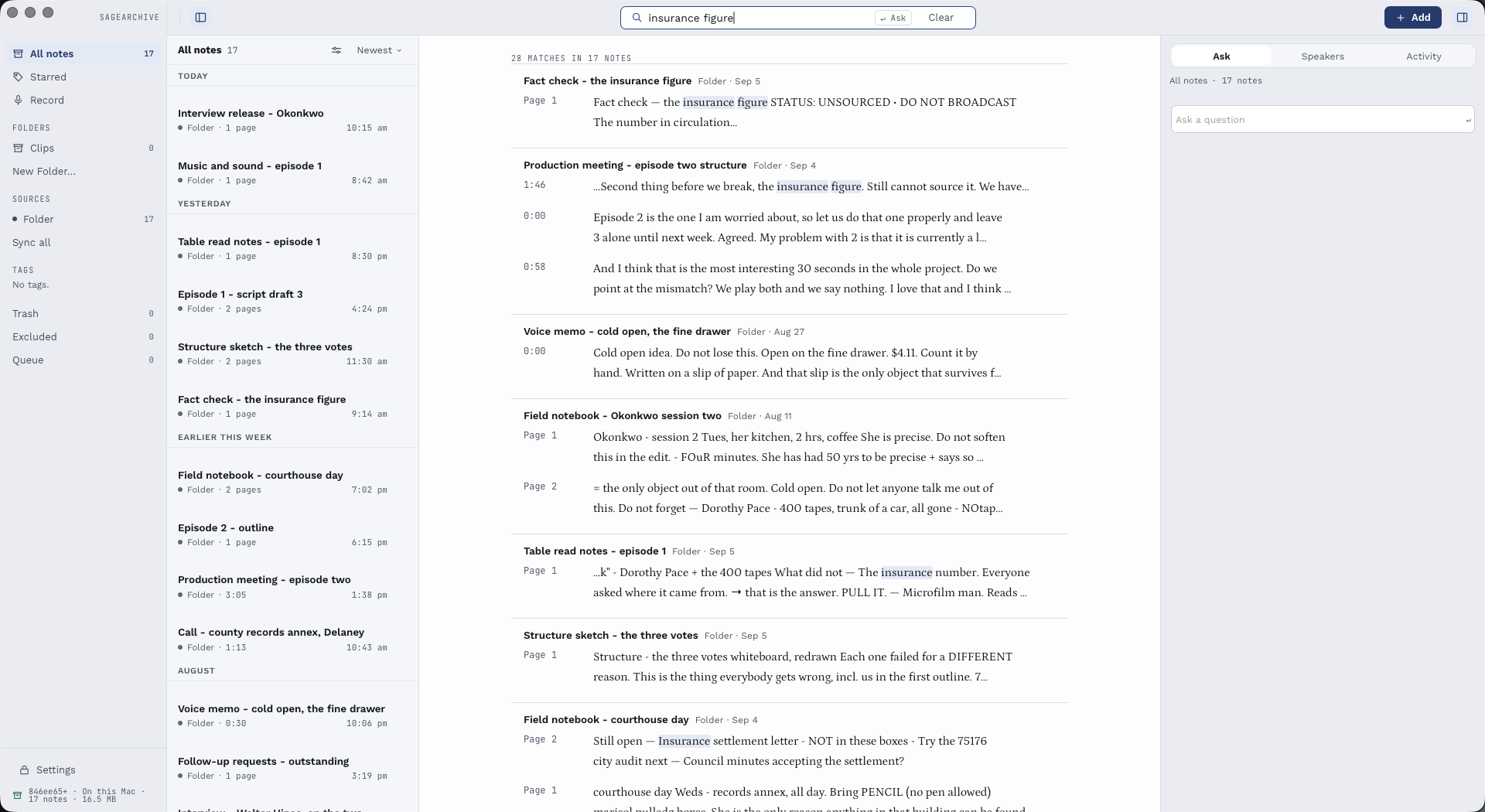
A useful note can connect several ideas. Add ordinary links to different notes, or select passages from timed transcripts and insert them as quotations. Each quote keeps its saved words, source and time range. Follow it back when you need to hear the context again.
1. Collect the material
For example, bring an interview recording, a handwritten notebook and an imported manuscript PDF into your archive.
2. Write the review
Create one note for your comments. Link to the manuscript and notebook, then add timed quotes from interviews wherever they support a point. A note can contain several references.
3. Follow the connections
Open the linked notes or replay a quote's stored passage. Use Linked from for incoming note links and Referenced by for the notes quoting a timed source.
Re-converting a recording does not rewrite a saved quote. Its text stays as you captured it, with a changed-source indication when applicable. Renaming a source keeps its link; an unavailable source is identified. Ordinary links open notes, while timed quotes use stored segment ranges. Exact links to untimed manuscript paragraphs or page regions are not supported.
Speed
Process a backlog on your own Mac.
Local speech models use your Mac to turn saved audio into searchable text. Speed depends on your Mac, model, recording and other work running at the same time. Start with a short recording before a large import.
Local processing has no per-minute SageArchive charge. Choose a cloud provider instead and its charges and terms apply. Review important passages against the original audio before quoting or relying on them.
Handwriting
Your handwriting, actually searchable.
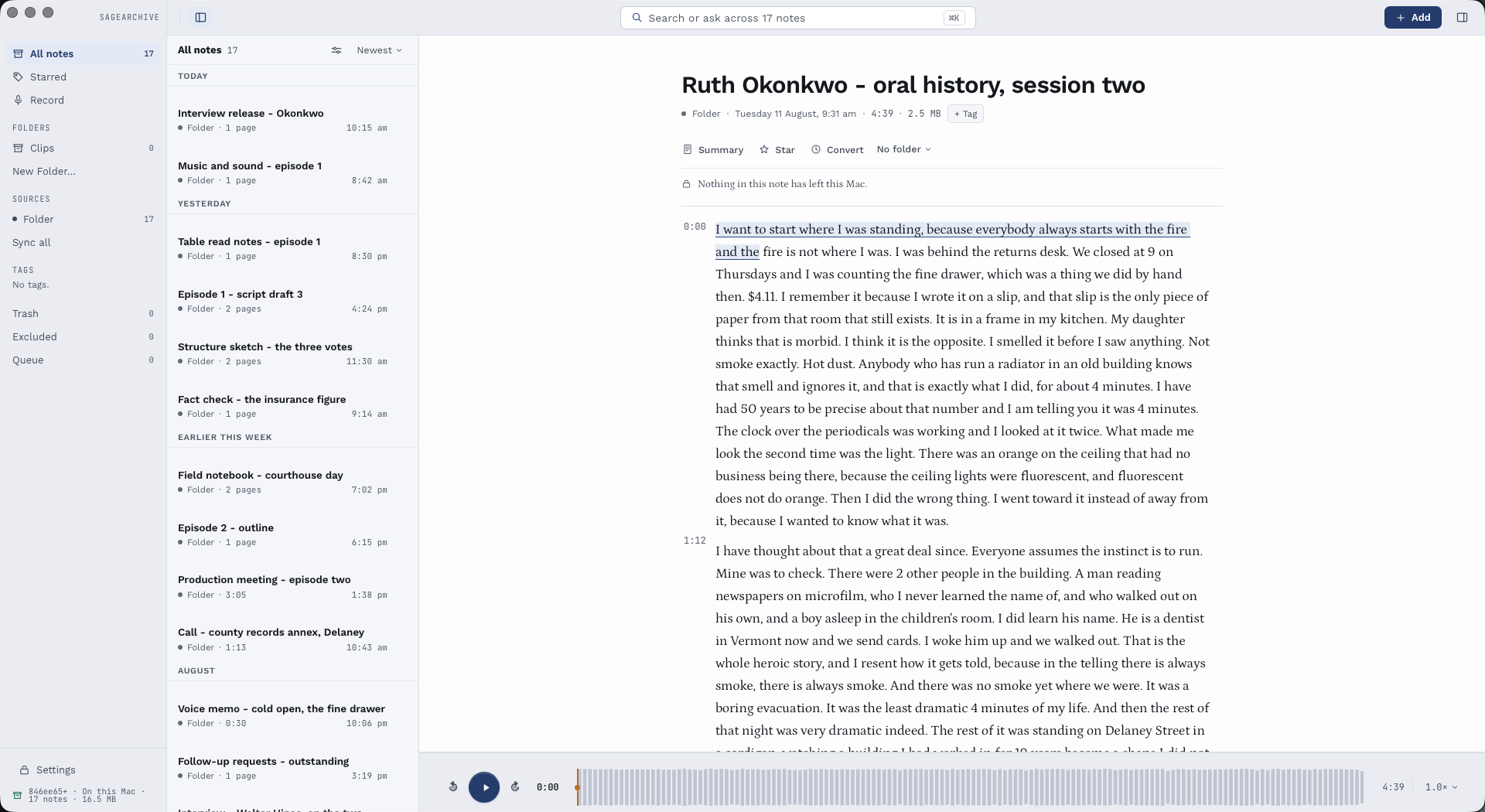
Pages from a reMarkable are read, and the words are lined back up with the place on the page they were written. So when an answer comes from something you scrawled in a margin eighteen months ago, it can show you the margin.
Recognition and page placement can be imperfect. When a recognized line has page coordinates, SageArchive can highlight that area. A line without coordinates can still be searched or cited, without a guessed box. Check the original page when precision matters.
Your models
Use the model you already run.
Speech and handwriting are read on your Mac by default. Beyond that, SageArchive can answer questions, write summaries and suggest edits using a model you host yourself: point it at Ollama, LM Studio, MLX-LM, llama.cpp or any OpenAI-compatible server. Servers that also transcribe can do that too. You choose the server and the model; there is nothing to sign up for.
A server you reach at localhost gets its own permission, separate from any cloud one, and the note records the address SageArchive sent it to — “Sent to your server at localhost:11434” — including when the attempt failed before that server answered. Reach the same machine by its network name or address instead and it counts as cloud, because that is what the address says. SageArchive can see what it sent and to which address. It cannot see what that server does next, and it does not pretend otherwise.
Or ask Claude about your own notes.
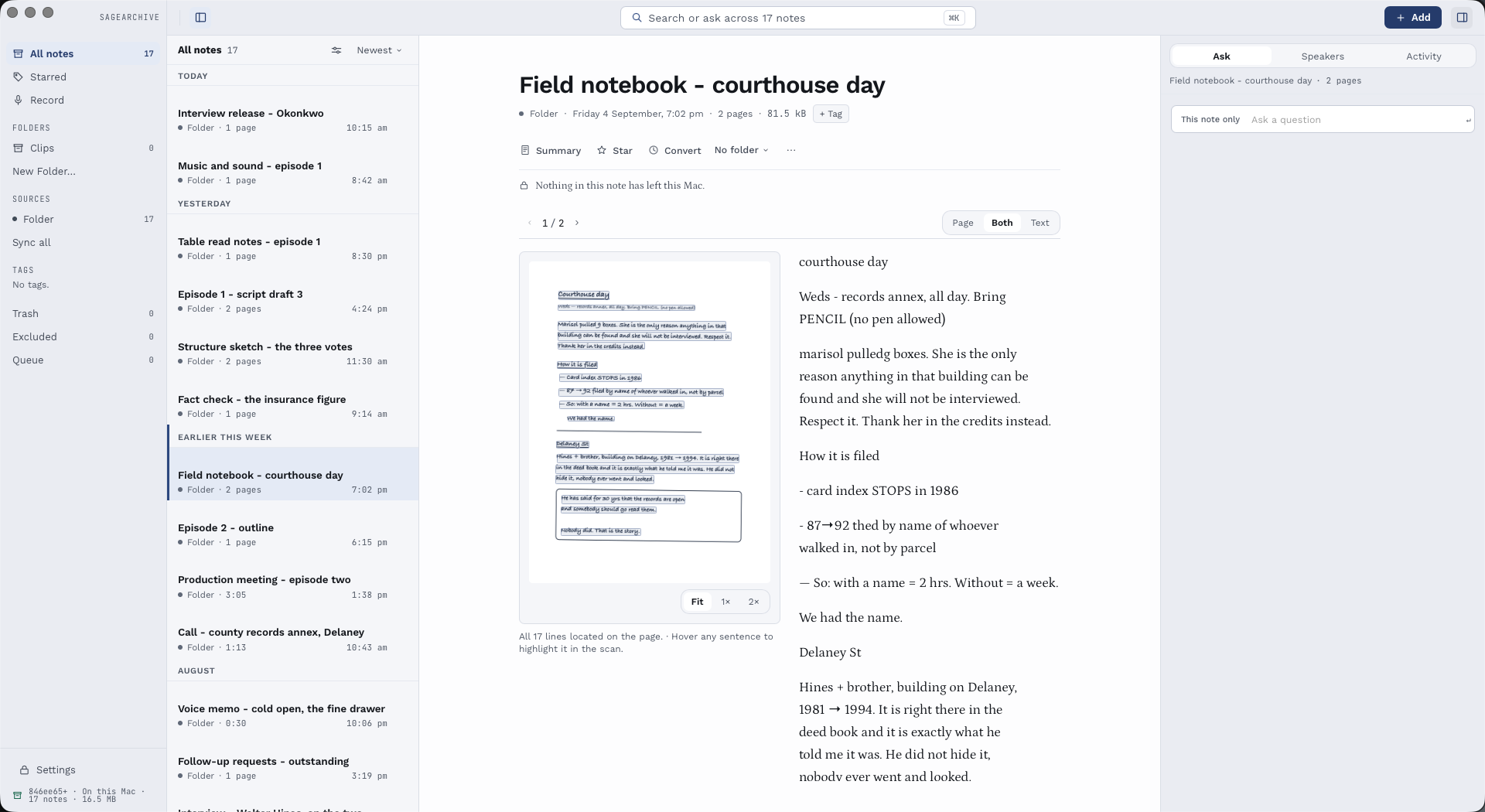
SageArchive can serve your archive to Claude Desktop, Claude Code and other apps that speak the Model Context Protocol. Ask a question in Claude, and SageArchive hands back the passages it found with a link on each one: a recording opens at the moment those words were said, and a handwritten page opens the note it came from. Claude is good at drawing threads together; the link is what lets you check it.
It is off until you switch it on. Only apps on this Mac can connect, with a token kept in your Keychain. They can search, read and list — never change, delete or sync. And only sources you have marked “Answer with a cloud model” are shared, because what an AI app reads goes to that app's provider; SageArchive lists the sources it is withholding. One switch turns it all off again.
Privacy
Keep your archive local. Choose what you send.
Your saved archive lives on your Mac, without a SageArchive account or an archive hosted by us. Local transcription, handwriting recognition and meaning search use installed models; local answering also requires Apple Intelligence availability. Optional cloud processing is controlled by source and purpose. Vendor account sync still uses the vendor's service.
Review the processing history in the app and the service choices in Settings.
Review recorded cloud processing
Choose a company to see retained notes with recorded processing by that provider. This history is separate from today's permission switches. It is attached to notes that remain in the archive; it is not a permanent audit log or a record of everything in the vendor's own account.
Control what stays in the archive
Exclude an imported note to remove it from the archive and future syncs of that source. Find it in Excluded and choose Allow Again to let a later sync bring it back. Exclusion cannot undo processing that already happened or remove the vendor's own copy.
Keep service keys in Keychain
Saved API keys live in the macOS Keychain. Settings can show whether one is present but cannot reveal its stored value. Keep keys and vendor session text private, including when asking for help; support does not need your credentials.
What it reads
Start with the sources you already use.
Inq notebooks arrive through the iPhone app and inq cloud; plugging in the pen is not a USB import. Plaud uses its cloud account. HiNotes cloud and direct HiDock P1 USB are separate routes, and the same recording can remain separate notes when imported through both.
Each source has its own sync status. Queue shows failures by operation, so you can retry the connection, download or conversion that needs attention. Already saved notes remain readable when a device is disconnected. Setup depends on the device, firmware and account; check your source's requirements first.
Have a device that is not listed? Future additions are being considered; specific models and dates are not promised. You may be able to start with a supported file export. To help us understand your workflow, tell us what it is.
What it does today
Use the notes. Keep the sources.
SageArchive imports recordings and handwritten notebooks, searches saved text, creates local answers, and keeps authored notes with links and timed quotations. Notes remain readable when a source is disconnected. Optional cloud processing needs your permission.
Try it with your own devices during the free trial. A connection check is not a promise that every notebook, device model or firmware is supported, and the support page lists what is known today.
Bring your next idea back to its source.
Fourteen days free, then a one-time purchase. Your archive stays on your Mac.
Download free trial Buy SageArchive
Device services and optional cloud AI may have their own charges.